Vidnoz AI: The Cost-Effective Solution for High-Earning Videos
Looking to level up your social media marketing in 2025? Video content remains one of the most powerful ways to capture and engage your audience. But creating high-quality, professional-looking videos often demands expensive equipment or a costly production team, right?
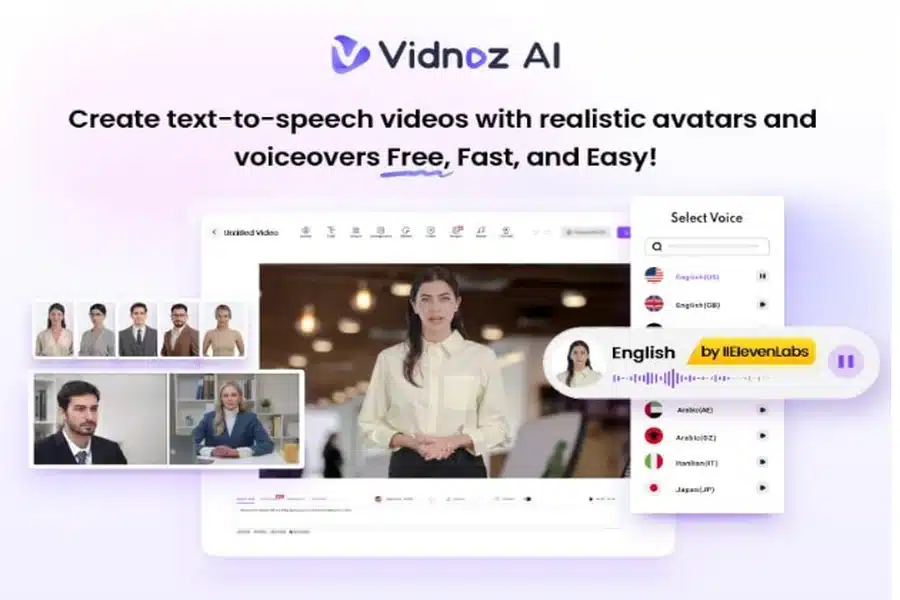
Not anymore. You can produce stunning videos with just a few clicks without breaking the bank. Vidnoz AI is one of the top AI-powered video generators available online, making it easy and affordable to create high-quality content in minutes.
Part 1: Vidnoz AI: Affordable Video Production Made Easy
As we all know, traditional video creation methods can be expensive and time-consuming, requiring high-end equipment, professional crews, and hours of editing. But with Vidnoz AI, you don’t have to worry about that.
This powerful AI video generator allows you to create high-quality, professional-looking videos in just a few clicks. Vidnoz AI makes video production fast, easy, and affordable. Additionally, Vidnoz AI prioritizes data security. This platform is ISO/IEC 27001 certified, ensuring your data is handled with security and privacy. The standout feature of this tool is its intuitive interface, which makes video production simple.
Part 2: Why Vidnoz AI is a Smart, Budget-Friendly Choice for Video Creation?
The program offers features that make it a budget-friendly choice for video creation. Here are the top features of this program:
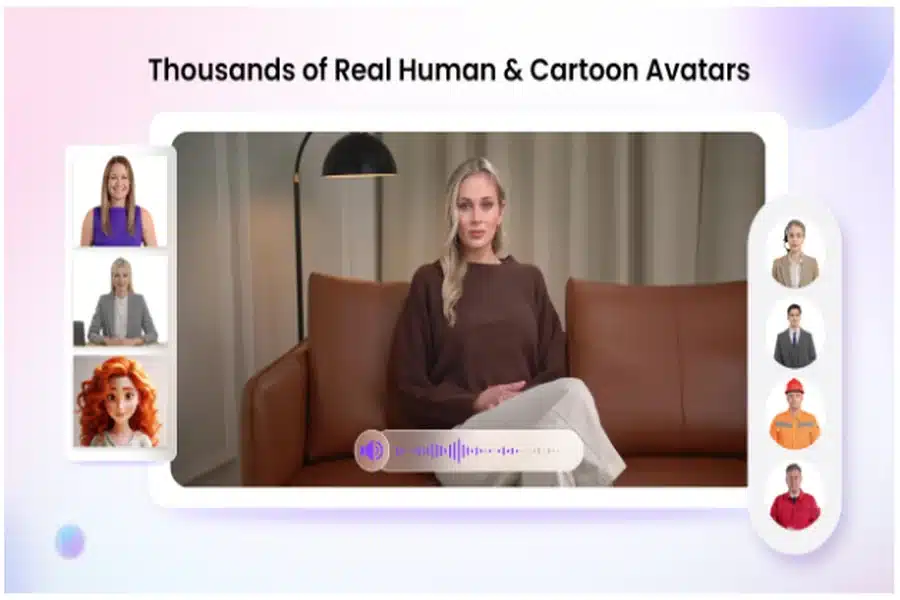
- Wide Range of Templates: The program offers over 2,800 pre-designed video templates, enabling users to create various types of videos, including how-to guides, product demos, social media posts, and more. Users can also create custom templates from scratch that perfectly match their brand.
- AI Avatar: Vidnoz AI features over 1,500 AI Avatars with diverse characteristics and styles. It offers doctors, nurses, students, teachers, customer support, and policemen avatars. All avatars on this platform come with “Head Pose and Expression Control.”
- High-Quality AI Voices: It offers over 1,380 AI voices, each with a distinct tone and language. Users can create voiceovers in 140+ languages, including English, Chinese, Turkish, Russian, and more. ElevenLabs, Microsoft, and Google power all the voices available on this program.
- Online Video Editor: This tool allows you to edit AI-generated videos according to your requirements easily. It allows users to add background music, change templates, and more.
- Free and User-Friendly: Vidnoz AI offers a free version, allowing users to create 3-minute videos at no cost, making it an excellent budget-friendly option. Its intuitive, user-friendly interface makes it the perfect choice for beginners and non-technical users.
- AI Video Wizard: This feature is ideal for those who prefer not to follow lengthy and time-consuming methods for video creation. It allows users to create high-quality videos with a single prompt.
Part 3: What Kind of Videos Can You Create with Vidnoz AI?
With Vidnoz AI, users can create a variety of videos for free. Here are a few examples of the types of videos you can make using the platform:
- Explainer Videos: This tool enables users to simplify complex concepts with clear, engaging visuals. It’s perfect for teachers who want to explain difficult equationsin an interesting way.
- Marketing & Promotional Videos: Vidnoz AI enables users to create professional-looking videos for promoting products or services.
- Social Media Content: The program enables users to create various types of videos, including humorous and horror content, and seamlessly upload them to popular social media platforms such as Instagram, TikTok, and YouTube.
- Tutorial Videos: If you have a product to sell, you can create a tutorial that showcases its features and demonstrates how to use it effortlessly.
Part 4: How to Create High-Quality Videos With Vidnoz AI?
If you want to create professional-looking videos with Vidnoz AI, follow the instructions below:
- Navigate to Vidnoz AI’s official site and click on the “Create Free Video Now” button. Then, pick your desired template and avatar to create a personalized video.
- Next, enter your video prompt and choose an AI voice. Users can also select from over 140 languages, making creating videos in multiple languages easy for a global audience.
- Once you’ve completed all the initial steps, use the Online Video Editor to add a personal touch to your video. Users can enhance their content by adding background music, changing templates, and more.
- Finally, click the “Generate” button to begin the video creation process. Within minutes, an AI video will appear on your screen. Preview the video and click the “Download” button to export the video in MP4 format.
Part 5: Final Thought
Creating high-quality videos on a budget is now possible with Vidnoz AI. This powerful tool uses AI avatars, customizable templates, and realistic voices to easily produce professional-looking videos. Best of all, every video generated with Vidnoz AI is free for commercial use, making it a perfect solution for businesses, creators, and marketers.