As a laptop owner, you already have a powerful, portable tool at your disposal. But to really get the most out of it, you should add some peripherals. The key things that can enhance your experience, boost your productivity, and make your life a whole lot easier are worth buying – just as the device itself, if you don’t have one. So, let’s see which essential peripherals every laptop owner should consider.
1. External mouse
First up, the humble external mouse. Sure, touchpads have come a long way, but they still can’t beat the precision and comfort of a good mouse. Working on detailed graphic design, playing your favorite game while staying in a hotel, or just navigating around your desktop will feel so much more convenient with an external mouse – it can make a big difference.
For the office or home setup, go wireless – it is often the best choice to keep your workspace tidy. Gamers, of course, might need a high-DPI gaming mouse with customizable buttons.
2. Docking station
If you find yourself constantly plugging and unplugging cables from your laptop, a docking station can be a real lifesaver. Docking stations allow you to connect multiple peripherals – like monitors, keyboards, mice, and external drives – with a single connection to your laptop. This can streamline your workspace and make it easier to switch between working at your desk and taking your laptop on the go. Look for a docking station that matches your laptop’s ports and offers plenty of connectivity options.
3. External storage
Even with the advent of cloud options, having an external storage device Funny Names is still incredibly useful. An external hard drive or SSD can provide additional space for backups, large files, and media libraries. SSDs are faster and more durable than traditional hard drives, making them a great choice if you need speedy access to your data. For photographers, videographers, and anyone dealing with large files, external storage is practically a necessity.
4. Laptop stand
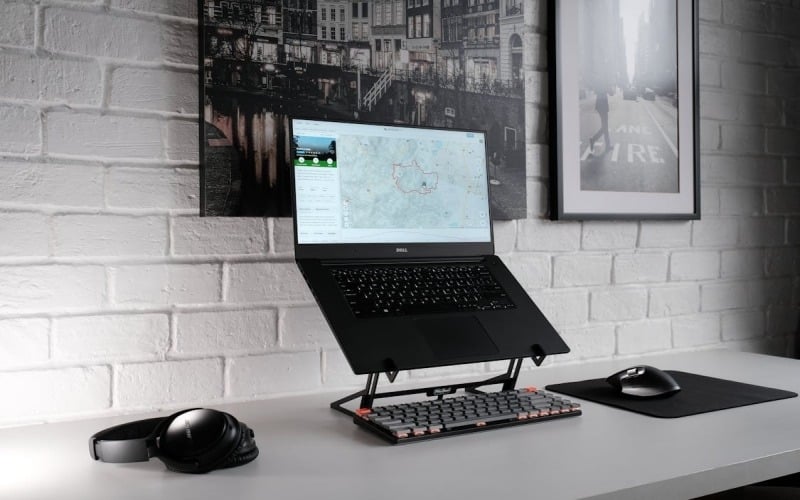
A laptop stand is a simple but effective peripheral that can improve your posture and reduce neck and back strain. By elevating your laptop screen to eye level, you can create a more ergonomic workspace. Some stands are adjustable, allowing you to find the perfect height and angle. There are also stands with built-in cooling fans to help keep your laptop running smoothly – this sounds too good to be a must-have, but many laptops could really use some extra cooling factors.
5. USB hub
With laptops getting thinner and more space-efficient, the number of available ports is often limited. A USB hub can expand your laptop’s connectivity options, allowing you to plug in multiple devices at once. Look for a hub with a mix of USB-A and USB-C ports, as well as other useful connections like HDMI or SD card readers. This can be especially handy if your device lacks certain ports.
6. Headphones or external speakers
Good audio can make a big difference, whether you’re in a Zoom meeting, watching movies, or gaming. High-quality headphones can provide immersive sound and help you focus in any noisy environment.
If you prefer not to wear headphones all the time, external speakers can offer a richer audio experience than your laptop’s built-in speakers. And for frequent travelers, a compact Bluetooth speaker can be a great portable audio solution.
7. Webcam
While most laptops come with built-in webcams, their quality is often lacking. If you spend a lot of time on video calls, an external webcam can provide a significant upgrade in image quality. Look for webcams with high resolution (1080p or higher) and good low-light performance. Some models also come with built-in microphones and privacy covers.
8. Surge protector
This is going to be an important addition to your setup as well, even if it initially seems unnecessary: a small investment that can protect your valuable equipment. Power surges can damage electronics severely, and a surge protector provides peace of mind by safeguarding both the laptop itself and all the various peripherals. Some models also offer USB charging ports, making them doubly useful.
Conclusion
Enhancing your laptop with the right peripherals can greatly improve your productivity, comfort, and overall experience. From basic essentials like a mouse to more specialized equipment like docking stations, each peripheral plays a role in creating a more efficient and enjoyable workspace. By investing in these tools, you can unlock the full potential of the device and make your daily tasks smoother and more enjoyable.
So, take a look at your current setup and see where you might benefit from a little upgrade. And, of course, it is nice to upgrade, but let’s not forget about the repair of the laptop itself in case of malfunctions. To stay safe in this regard, you need to contact the pros, whether it’s a MacBook or Acer laptop repair. Your future self will thank you!